Coordinated CAD Plan Set and 3D Underground Rough-In Model for prefabrication and placement in the field.
Cloud Storage of our Plumbing Assemblies
Bob Harvey Fabricating off of our internal Spool Sheets from Revit
Assemblies from Revit to Fabrication for Yellowstone Club Resort Homes.
Toilet and Sink Assembly
Floor Drain Assembly
Thanks to SysQue and Building Data we have been able to successfully integrate our plumbing designs to fabrication level of detail. So far we are using the spool sheets primarily for our underground rough-ins. We are currently developing our coordination with stud locations and wall locations to field verify and prefabricate our plumbing assemblies in the walls of these homes. This whole process has increased our efficiency in the field and design communication to the foreman and architects. This process has been an evolving process, but being able to coordinate with our foreman, estimation team, and contractors, this has been immensely rewarding. Our next obstacle is conquering our duct fabrication and implementation for fabrication. The tin shop is currently under construction and we will be rolling out Autodesk CAMduct in conjunction to running the sheet metal through our Revit Fabrication toolbar to fabricate in that shop with our plasma table. We are also investigating using our SysQue duct tool. This is the process that is under construction right now, and I look forward to sharing some examples of this shop when it's all up and running!
This tool was created to automate our crop region visibility. Instead of clicking through each view, checking and unchecking boxes, I decided to create a script that would automate this process, and it increased my productivity ten fold. May be a simple enough tool, but if you're new to Dynamo it might be nice to compare different things you can use Dynamo for to ease your sheet preparation or everyday office tasks. I intend to share these as I explore new things!
About a month ago I sat in on a "Coffee with Caleffi" webinar and had the pleasure of watching Jim Meseke, Director of BIM Content at ENGworks, give a presentation on "How to Utilize BIM in Hydronic System Design". The webinar was fantastic, as are the rest of the Coffee with Caleffi webinars, but this one stood out from the rest. It illustrates the importance of accurate building information content, and why it's important for this content to get into the hands of users who not only draw with Revit, but who order these products frequently. Jim Meseke explains how to draw utilizing their content in an approach that leverages the content for documentation and utilization in the future. At the time of the webinar Jim Meseke mentioned that the objects and cataloged through their platform "BIMXchange" that was only available for Revit 2012/2013/2014. After the webinar, due to many questions about the presentation and the relevance of where Revit is today and the accuracy of the calculations being utilized, Jim Meseke personally called me and explained to me his reasons for utilizing an older platform, and I explained why he needed to upgrade it. I mentioned to him how terrible this is for users, like myself, that stay up to date with the content and Revit platform and that it was only affecting their business and not promoting the "future" of BIM. After our conversation we realized how much we had in common in terms of being Revit advocates and spreading the word of how important building information content actually is and our roles and we ended on common ground of focusing on what the "future" may hold. I am pleased to announce that BIMXchange has been update for Revit 2016 and is now downloadable. This is HUGE! This means that users now have access to some free content, that was funded primarily by manufacturers for the users, and can now rely on accurate fittings that were drawn by industry professionals! Thank you Jim for listening to my rants throughout the webinar, and still providing this access to the community and showing us you truly care about the future of BIM and Revit!
ENGWorks also has a remarkable library of fittings that they made for Uponor Engineering. Here are the links for the content, and as for today, two great examples of companies in the MEP world of things that actually care that their customers have the right tools to design their systems accurately. I would also like to thank Mike Rivers at Uponor Engineering for caring enough about the future of Revit and it's role for designers today.
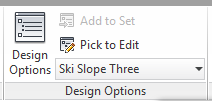
Setting up Design Options allow you to illustrate your process conceptually which is far more powerful being reinforced by DynamoBIM.
Ski Ramp Dynamo Script for Conceptual Massing
Upper Ski Ramp... Conceptual Scripting
Inserting my content from my content library managed through Unifi
Design Option #1
Design Option # 3
Design Option #2
I have been assigned a project for a hybrid building for downtown Bozeman, Montana, in my fourth year design studio at Montana State University. My program consists of several different categories. The program was developed through an automated excel spreadsheet that assigned us specific categories that were selected amongst the classmates for my fourth year design studio.
I was assigned the following through this random automatically assigned spreadsheet:
Ski Hill
Public Art
Animal Shelter
Data Center
Multi Family Housing
Party Headquarters
With the randomly assigned program I have developed my conceptual design through Revit; however, before obviously loading it into Revit I conceptualized these designs through a series of sketches. I focused on precedent studies following Lebbeus Woods and Constant Nieuwenhuys's manifesto "New Babylon". I also read the manifesto "Of Other Spaces" by Michel Foucault. These manifesto's led me to focus on the future of our society based on the principles applied in these manifestos. From there I sketched a series of how I saw the future of our society. A society that consists of Homo Ludens, people that are focused on fun and all the fun is fueled by a series of technology that is constantly evolving but stimulating the economy of these said Homo Ludens based on prior work. After a series of sketches I have arrived into inputting these series of Design Options into Revit. The beauty of Revit is that I am able to tie my data into Dynamo and fuel it into my iterative design. Here is where I am at now, and these iterations have been evolved through not only dynamo scripts but design options in Revit. This allows my designs to not be constrained by typical Revit geometry, but able to morph into the designs I have envisioned through these series of sketches. I will upload these sketches in the coming week, but for now here are the design options that have evolved through a series of evolving dynamo scripts and sketches.
Andy Milburn’s (and other’s) Flat Content. Downloadable through the links below.
As a follow up to the post a few months back about Revit training resources, and excellent places for learning new tips, I would like to add Håvard Vasshaug's blog to the list! I had the pleasure of going through some of his tutorials and witnessing the magic that he presents for learning Dynamo and exploring some of his other posts along the way.
Here are the links to his blog, the revit content he is kind enough to share, and a sample of one of his workshops he recorded and shared for online viewers:
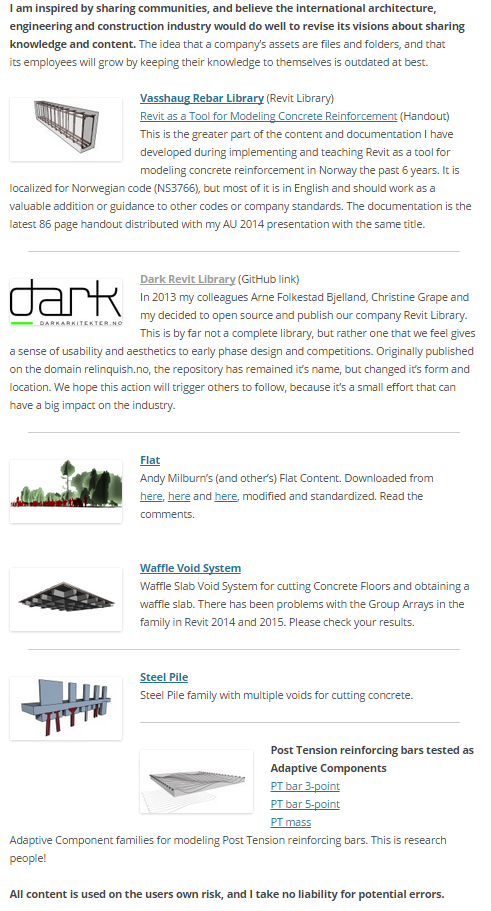
The following is from Håvard Vasshaug's blog. His reasons for sharing are a blessing to the Revit community, and also validate my reason for sharing! Thank you Håvard!! Your inspiration to share is an immense value to the Revit community!
The Revit Saver's aftermath of following Håvard Vasshaug's Tutorials
Now this is an absolutely crazy form, but the ability to connect adaptive components through the series of scripts, to array to a conceptual massing form, is incredibly powerful. I would highly suggest sitting down for an hour or so and following along to his videos. It helps users become much more comfortable with the foreign looking interface of Dynamo for people that have never visually programmed before.
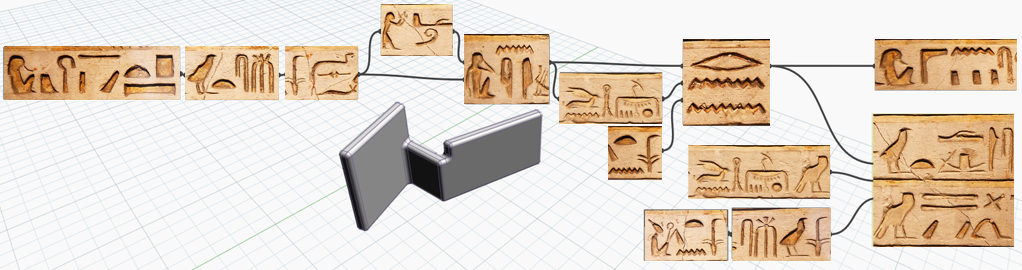
Luke Johnson's explanation of what scripts look like to users that have never visually programmed before! o.0
For anyone that missed the webinar yesterday. The folks at Autodesk have released yesterday's webinar with all the new features coming to Autodesk Formit and Revit 2016 R2. These features enhance the fabrication parts workflow and several other key aspects of the software. The official release date for the subscription release is October 6th, 2015! A lot of these features and enhancements were announced at Revit Training Conference in D.C. in July as well.
The possibilities of this are absolutely exciting. This evening DynamoBIM announced a beta to their Dynamo Customizer extension to Dynamo. From the bit of research I've done on it, I have gathered that you can now host your Dynamo scripts in a web browser and have others interact with these scripts... All through their browsers. This type of functionality excites me in a few ways of thinking about the possibilities of illustrating programmatic diagrams, having clients potentially interacting throughout the design process to communicate their own ideas based off of your initial guidance through a script, and data integration to be streamlined back to the Dynamo model fed from external data that was hosted in the cloud. Now whether or not this functionality is available yet I can see the potential or future possibilities are going to be extraordinary! After I get the beta installed, and ran, I will share my results!!! For now check out the new beta here:
We use Unifi in our office as well, but to have the ability to bulk export family libraries is just incredible! We've been creating a series of groups, and were saving them one at a time (Until Unifi of course)! _._
For anyone who has always looked for that bulk exporting tool, without the catch, here is where you will find it!!! Although if you want analytics and some other cool perks of being able to manage your content libraries... Unifi is definitely still the only way to go!!!
In case anyone wanted a good, clean cut, example of the power of the Dynamo community. Go take a look at the post I posted two months back asking for "Creating Assembly Views, Sheets, and Schedules", and the response through Julien's hard work of creating additional nodes for his Steam Nodes Dynamo package (Available on the package manager).
In fact, I challenged the package to automate the naming of the assemblies a bit differently! It wasn't quite ready, but after communication and explanation of the functionality (that I need to carry out my day to day workflows for Revit assembly automation), Julien announced it is "coming soon"! I just wanted to share this example because this shows the power of the Dynamo Community, and for non-coders, like myself, this is absolutely powerful! Thank you Julien! I intend to update this post as the package becomes updated, and showcasing the process through Autodesk Screencast!