Monday, May 23, 2016

Application of the Month - Adobe - My Portfolio - May 2016

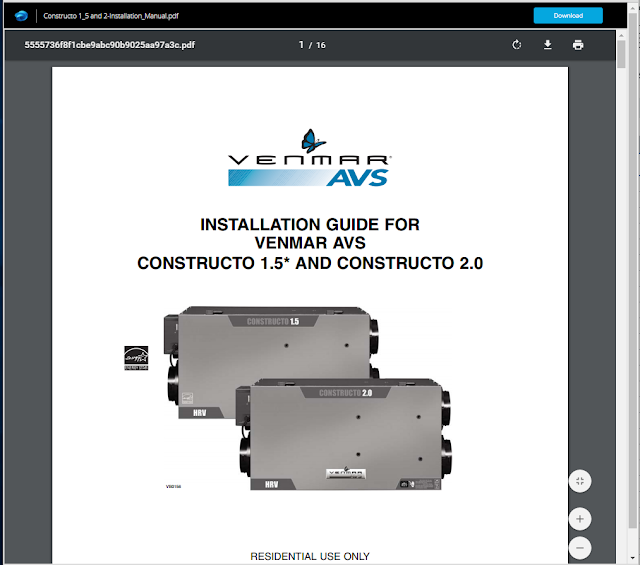
This weekend I spent a small amount of time configuring a domain for my portfolio, and setting up a place to showcase my work as it is developed professionally and throughout my future studies at Montana State University. I figured I would share the application to anyone else that was interested in a quick and easy way to showcase their work. This also was a way for me to stay productive this summer leading up to my graduate studies at Montana State University.

The process:

I created a simple .com domain through Hover. Hover charges me $13.00 bucks annually to maintain my domain, and it was incredibly easy to configure.


I then proceeded to use Adobe - My Portfolio. 


My portfolio is tied to my Adobe Creative Cloud account. The beauty of this is that any item that I add from Photoshop, In-Design, Muse, etc. (Any Adobe Product or image downloaded from online) will be synced across all platforms and accessible for use later. This is incredibly efficient for my efficiency as a designer! 

The Result (~ one hour of time.):

Nickel Architecture:
http://nickelarchitecture.com/

This quick process allowed for me to create an active/evolving portfolio that I can go to in the future to quickly add projects that I've worked on to showcase my work professionally and as it's completed efficiently.

Google Analytics Integration is a breeze as well. Simply register for a tracking id here:

https://analytics.google.com

You can also setup data analytic dashboards for viewing location maps of data and whole plethora of other bits of information.


www.nickelarchitecture.com

Set up your account. Get your tracking ID and simply paste it into your finished portfolio here:


Located Under "Edit your settings" on the left side of the edit portfolio window pane.


Tuesday, May 10, 2016

Autodesk CAMduct - Import a Flat Pattern DXF to your Database for Future Use!

The following steps are taken to import a .dxf file that was drawn in rhinoceros (or AutoCAD) into your CAMduct database library. These steps are very useful for shapes that you may want to reuse in the future.

1.) Draw your flat pattern in rhinoceros or AutoCAD.

Drawn part that's been manually unrolled into a flatpattern.


2.) Export the flat pattern to a .dxf file using the Imperial CAM setting on export. (This helps if you're going to be exporting the CAMduct file to another third party CAM software for CNCing.)

Export Selected


3.) Insert the flat pattern into CAMduct by clicking File -> Import -> Items. Point the file path to where you saved your flat pattern .dxf. I generally temporarily place them on my desktop to delete after this process to ease file management. Especially since it is being archived to my CAMduct database.

Select .DXF that you exported in last step.


Accept the Item to add to your job list.


4.) Once the item has been added to your job list you will want to go to your job contents folder. Right click the item in your job contents folder that relates to the imported .dxf file, and then select in the dropdown list "Save as Catalogue" This will open a folder location and you will point to the folder to where you want it to be retrievable in the future from your database.

Image of flat patterns in a database location mixed with CID patterns and other .ITM file types.


\


Monday, April 25, 2016

A360 Team PDF Markup Workaround


The following is a step by step workflow of how one could successfully markup a pdf using the A360 Platform. This is the workaround until the app allows for a native option, but seems to be fairly efficient.

Step One: Open A360 App and Locate the Isometric Paper PDF File

Step Two: Select the info button (i) and then click the "Open in" button

Step Three: Select Copy to Bluebeam, or any other pdf markup tool you want.

Step Four: Markup the document

Step Five: Click the "Open In..." button in bluebeam, or a similar button in another app.

Step Six: Select the "Copy to A360" button.

Step Seven: Follow On Screen Prompts

Congratulations, you have just marked up a PDF from A360 and saved the new version with markups back to A360.

Saturday, April 23, 2016

Embedding Data, Cloud Computing, and Accessibility with A360 Team and Unifi

Over the past few months I've been pretty busy exploring this idea of embedded data and content in our Revit families. In the mechanical and plumbing world it's important to understand how to attach documentation and specifications in to your content, so that the end user is able to actually interact with that data. This is all fully possible now thanks to Unifi and A360. Through several forum suggestions on A360's idea station (located here: http://forums.autodesk.com/t5/a360-ideastation/idb-p/206/tab/most-recent), I've been able to suggest new features that the team has been immensely generous in adding because they've seen value for the end user. Some of these recent enhancements include hyperlink support in the mobile, tablet, and website versions. This is huge because currently Revit does not allow you to embed pdfs, (probably justified for file size), but this can be worked around through the use of shared parameters that are URL based. Then referencing those documents from your A360 drive folder through the utilization of a shared link.

Here's our workflow.

1.) Specification & Installation Data is placed on A360 Team folder.

2.) Our Revit family content creator in our office generates a Revit family that has parameters that reference the "A360 Specification URL" and "A360 Installation URL". This becomes a parameter that the shared link can be placed in for future content creation.

3.) The file is uploaded to Unifi. Where the link can be accessed by other office staff. People that don't even have Revit on their computers. To access cloud stored documents that are equally accessible by the field plumbers and hvac technicians.


4.) The model content is placed somewhere down the line in the project for communication of location and coordination of duct and pipe work. This allows for the field foreman to get a better understanding of it's purpose and location on site, and to have access to this specification data located in the cloud for accessibility virtually anywhere.
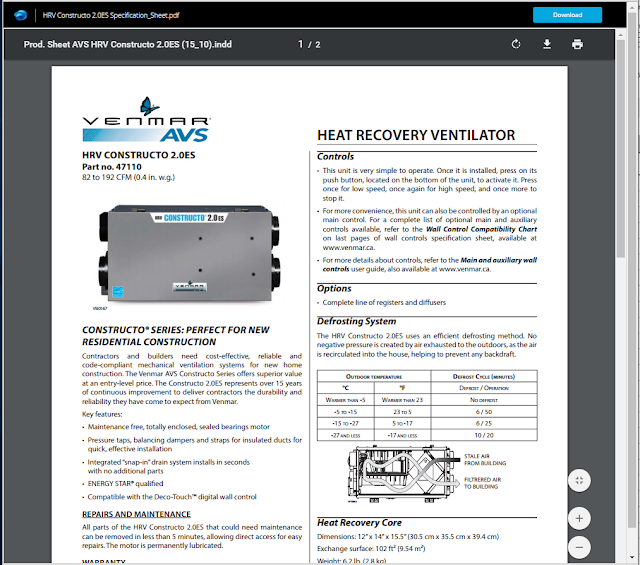
Specification Data
Installation Data
5.) All Revit Mechanical Equipment Families created in our office have this data. This data allows for a homeowner building package turnover. This allows for our clients to have a piece of mind in data accessibility in the future.

6.) This data can then be exported to Autodesk Building Ops for servicing the equipment in the future.
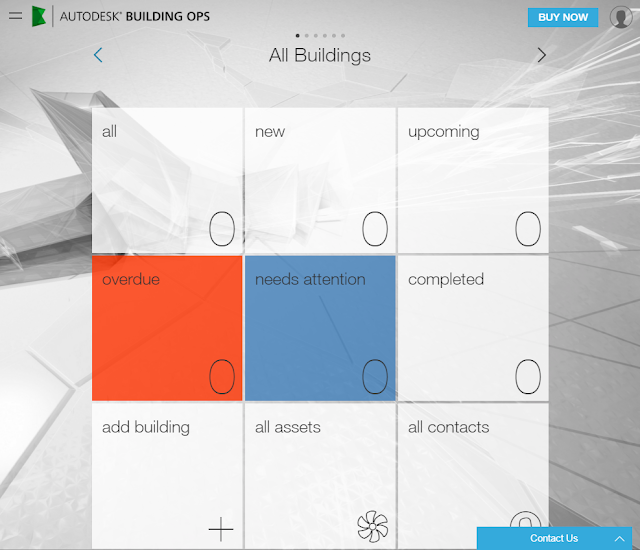
Building Ops imports hyperlinks.
Building Ops can import embedded Revit links and maintain those for pulling together an Operations Manual for the building.

One may contest that embedding links like these into the Revit model is dangerous because links can become potentially broken in the future. This is a justified position to have; however, thanks to the A360 team, once the file has been "shared" initially that link remains, and is accessible even when archived.

This is also reinforced by manually adding all specification pdfs from A360 to the Building Ops platform for accessibility and downloading in the future.

We have had great success with this method for the last year, and I thought it was time to share our preferred workflow thanks to some great tools that make this a practical approach.


Revit 2017 New Features from Autodesk Building Solutions

Tuesday, April 19, 2016

A360 Collaboration for Revit Tool File Accessibility

Our firm has been utilizing The Collaboration for Revit Tool for some time now. Although this may seem like a common sense sort of tip, I thought it would be worth pointing out that the A360 Cloud folders are accessible through your file browser under the "A360" button/folder. In the past we would download a copy of the hosted model and continue publishing new versions of the model over the existing one on A360. This is not necessary. I repeat not necessary. We knew it was bad practice in general, but with the concern for overwriting files, or corrupting files we took this original approach as a precautionary method. Our new method, the correct way, is to use the A360 folder structure that is easily accessible through the file browser. This makes accessing Revit Collaboration files easier, less of a hassle downloading repetitive files, and also ensures you understand the right way to use the Revit Collaboration Tool.

I'm sure others have been curious; therefore, I thought I would share this quick little tip/suggestion for the proper use of the tool!


Thursday, April 14, 2016

Autodesk Revit 2017 Student Launch 04/14/2016


Head over to students.autodesk.com and get your current license of Revit up to speed!

The current link is now live, and ready for use!

http://www.autodesk.com/education/free-software/revit


Revizto 4.0 Beta Launch 04/14/2016

Head over to Revizto's website and start the open beta test today! The beta test is an open environment to their full service; however, it is also going to be wiped when the full application is released. Thanks to their team for their hard work thus far. (Keep your previous version installed, until 4.0 is fully launched!)
http://revizto.com/


Tuesday, April 12, 2016

New Features in Revit 2017

For anyone interested in looking at the new features of Autodesk Revit 2017 a few days before it's availability date on April 14, 2016. Check out this link:


New in Revit 2017
Learn about new features and enhancements in the 2017 release of the software.

Subscription Features Now Available to Users of Revit 2017

Most new features and enhancements that were made available to Autodesk subscribers in the Revit 2016 R2 release are now available to users of Revit 2017.
For a detailed list of those enhancements, see New in Revit 2016 R2.
Note: Some of the Revit 2016 R2 enhancements (such as those related to Energy Analysis for Autodesk® Revit®) apply only to students and Autodesk subscribers.
Read the following topics to learn about 2017 enhancements in different areas of the software.

Wednesday, April 6, 2016

Unifi Success Story

The only thing I generally post in regards to ads is for Unifi, and it's because I believe strongly that it is THE content solution for managing your content across multiple platforms and distributing this content to others in your office. Here is the link to the success story article (below) as well as the article! Enjoy!: